Guide
GS1 DataMatrix vs QR Code with GS1 Digital Link
Choose between element-string and web-URI workflows by application requirements rather than treating every square code as interchangeable.
On this page
Direct answer
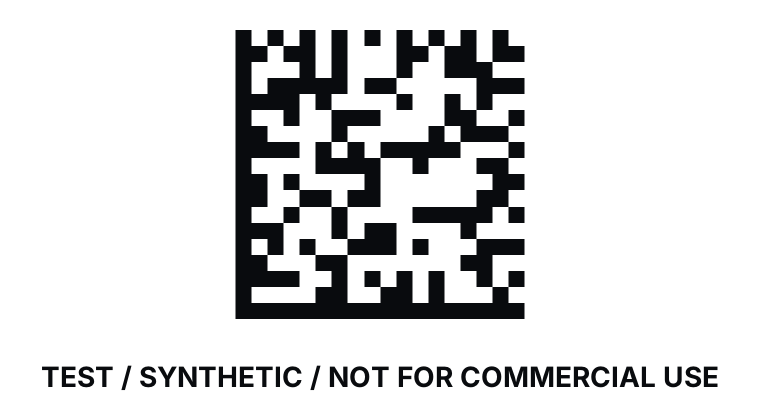
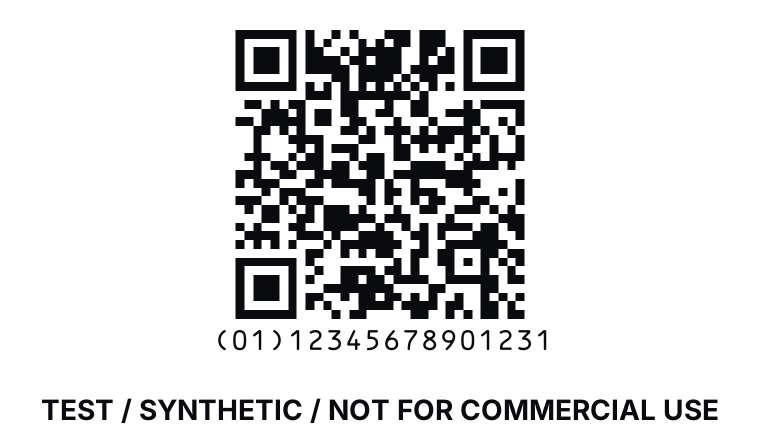
GS1 DataMatrix and QR Code with GS1 Digital Link are both two-dimensional carriers, but they commonly serve different data and interaction patterns. GS1 DataMatrix carries GS1 element strings under GS1 carrier rules. A QR Code used with GS1 Digital Link carries an HTTPS URI that expresses GS1 identification keys and related data in a defined path and query structure.
Choose from the sector, trading-partner, point-of-sale, regulation, device and consumer-engagement requirements. Do not choose only because one symbol appears smaller in a preview or because a phone camera recognizes QR Code more readily.
Data model and scanning path
GS1 DataMatrix begins in a GS1 processing mode and encodes Application Identifier element strings. Fixed and variable field rules determine boundaries, and FNC1 separators are used where required. A scanner normally returns a symbology identifier and data that business software parses locally.
GS1 Digital Link represents a primary key, qualifiers and attributes in a URI. For a GTIN, the primary key belongs in the path using AI 01, with the value represented in the prescribed form. Qualifiers such as lot or serial can follow in a defined order. Data attributes can appear in the query string. URI percent-encoding and hierarchy matter.
A URI does not guarantee a working website. Syntax construction and resolver operation are separate. A brand controls the domain, TLS, resolver configuration, destinations, availability and content. BarcodeOpsKit constructs inert text and never resolves or opens the result automatically.
Worked example
Consider a healthcare or operational workflow whose application specification calls for GS1 DataMatrix and a defined element string. The system may need compact carrier data, scanner integration and local field parsing without a consumer web request. Substituting a generic QR Code because it scans on a phone would not meet that stated carrier contract.
Now consider retail packaging designed to support a web-connected consumer experience and business scanning. A QR Code with GS1 Digital Link can express the GTIN and approved additional data in a URI while allowing the domain owner to provide web services. The receiving environment still must support that carrier and syntax.
TEST / SYNTHETIC / NOT FOR COMMERCIAL USE. Any example domain, key, lot or date shown by the tools is demonstration data and is not an issued commercial identity.
Size is not the only selection rule
Both symbologies have capacity, error-correction, module-size and quiet-zone considerations. The final symbol size depends on encoded data, selected options, print process, substrate and scanner. A digital preview cannot decide whether the physical package has enough space or contrast.
Adding more data increases symbol density. An operator should encode only the information required by the application, use the specified carrier, retain quiet zones and test the actual print at the intended size. A URI can sometimes shift changing content to the web, but the resolver then becomes an operational dependency.
Human-readable interpretation also differs. Element strings may be displayed with AI parentheses for people. A Digital Link URI can be shown as text, but long URIs may not be practical to print in full. Neither display substitutes for the machine-readable carrier.
Common mistakes
- Calling any Data Matrix symbol “GS1 DataMatrix.”
- Encoding bracket parentheses as literal element-string data.
- Treating any QR Code URL as GS1 Digital Link.
- Building a syntactically valid URI and assuming the domain or resolver is configured.
- Reordering primary keys and qualifiers without checking the standard.
- Assuming smartphone recognition means point-of-sale support.
- Selecting a smaller digital image without physical print verification.
Limits and what is not checked
BarcodeOpsKit checks supported syntax, local rendering and a digital decode round trip. It does not determine the carrier required by an industry, regulation or trading partner. It does not issue GTINs, prove ownership, configure DNS or TLS, test a live resolver, grade print quality or guarantee retailer acceptance.
The self-scan uses software pixels. It cannot reproduce ink spread, packaging curvature, glare, damage, camera optics, conveyor speed or scanner configuration. Physical verification remains a separate task.
Use the related tool
Use the GS1 Digital Link builder to validate URI placement, ordering and encoding and to preview an inert QR Code or Data Matrix representation. Use the GS1 Application Identifier parser when the source is an element string rather than a URI.
Sources and review
This guide was reviewed on 2026-07-13 against GS1 Digital Link URI Syntax 1.6.0 and GS1 DataMatrix Guideline 2.5.1. It summarizes selection boundaries and does not replace application-specific standards. BarcodeOpsKit is independent and not endorsed by GS1.
Related guides
Read Sunrise 2027 and 2D barcodes for the retail transition context and GS1 Application Identifiers for element-string semantics.
The carrier follows the data model
GS1 DataMatrix element string
Digital Link QR URI
TEST / SYNTHETIC / NOT FOR COMMERCIAL USE
Original workflow aid
Carrier selection matrix
Start with the application contract and data model, then test symbol size and device behavior in the real environment.
Related local tool
Continue with the working tool
Build a GS1 Digital Link URISource record
- GS1 Digital Link URI Syntax, GS1. Version or revision: 1.6.0. Reviewed .
- GS1 DataMatrix Guideline, GS1. Version or revision: 2.5.1. Reviewed .