Guide
Code 128 vs GS1-128: carrier rules make the difference
Compare a general Code 128 barcode with GS1-128 element strings, FNC1 processing and Application Identifier semantics.
On this page
Direct answer
Code 128 is a general high-density linear barcode symbology. GS1-128 uses Code 128 symbol mechanics together with GS1-specific data rules, including an FNC1 in the required starting position and element strings identified by GS1 Application Identifiers. Printing parentheses around AIs or placing arbitrary text in Code 128 does not by itself create GS1-128.
Choose the carrier from the application requirement, not from visual similarity. A decoder can read both symbols while reporting different symbology identifiers or data conventions, and the receiving system may depend on that distinction.
Data versus carrier
Code 128 can encode a broad set of characters efficiently by switching among internal code sets. The content has meaning only because the sender and receiver agree on a format. It might be an internal asset code, a shipment reference or another application-specific string.
GS1-128 carries GS1 element strings. Each element begins with an Application Identifier such as 00 for SSCC or 01 for GTIN. The AI defines the field meaning, length and character constraints. Some data fields have fixed length; others are variable and require a separator when followed by another element.
The GS1 rules are therefore not decoration around Code 128. They define how a scanner and downstream application can determine field boundaries and meanings. A renderer needs a GS1-aware input contract rather than a generic text string with parentheses.
Worked example
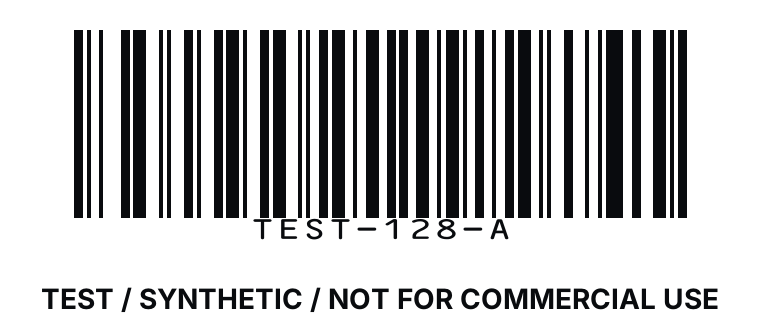
Consider an internal value CASE-ALPHA-7. A generic Code 128 symbol can carry that text if the renderer accepts the characters. The receiver only knows what it means through the organization’s private specification.
Now consider a logistics label whose documented data is an SSCC. In human-readable element-string notation, the AI may appear as (00) before the 18-digit key. The parentheses help people read the line but are not ordinary encoded data. A GS1-128 implementation uses the appropriate FNC1 start and AI data structure so the scanner output can be interpreted under GS1 rules.
TEST / SYNTHETIC / NOT FOR COMMERCIAL USE. The internal string and logistics scenario do not supply a commercially assigned key.
Scanner output and symbology identifiers
A scanner may prefix transmitted data with an AIM symbology identifier. That prefix communicates information about the carrier and processing mode; it is not part of the business data. Software that strips it too early can lose useful evidence about whether a GS1-aware carrier was read.
Scanner configurations also vary. Some transmit ASCII 29 for a separator, some show a textual token, and some remove or transform control characters. Test the complete chain: printer, physical symbol, scanner configuration, interface and receiving software. A successful browser self-scan of generated pixels is helpful regression evidence, but not a substitute for the physical chain.
Common mistakes
- Calling a generic Code 128 symbol “GS1-128” because the payload begins with digits.
- Encoding literal parentheses and assuming they act as Application Identifier controls.
- Omitting the required GS1 processing marker at the start.
- Forgetting a separator after variable-length data when another element follows.
- Treating the AIM prefix as business data or discarding it before classification.
- Assuming digital decode proves print-grade compliance.
- Using an AI with a value that violates its defined character or length rule.
Limits and what is not checked
BarcodeOpsKit can validate supported input, render a symbol and perform a local digital self-scan. It does not certify GS1 conformance, issue identifiers, confirm allocation, verify the business meaning of private Code 128 data or guarantee that a trading partner accepts the symbol.
No browser preview grades bar width, X-dimension, height, quiet zone after document placement, reflectance, modulation, defects or scanner optics. A physical verification process and application-specific label review remain necessary.
Use the related tool
Use the barcode generator to choose Code 128 or a supported GS1-aware carrier deliberately, validate the input contract and compare rendered output with a local self-scan. Use the GS1 Application Identifier parser to inspect element-string boundaries and meanings before rendering.
Sources and review
This guide was reviewed on 2026-07-13 against GS1 General Specifications 26.0.0 and GS1 guidance describing FNC1 and element strings. It paraphrases the distinction without reproducing standards text. BarcodeOpsKit is not affiliated with or endorsed by GS1.
Related guides
Continue with GS1 Application Identifiers for field semantics and FNC1 separators explained for variable-length boundary handling.
Code 128 and GS1-128 encode different contracts
Plain Code 128
GS1-128 with FNC1
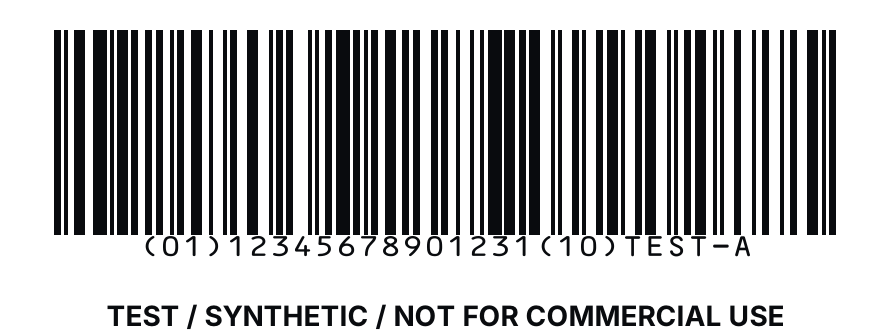
TEST / SYNTHETIC / NOT FOR COMMERCIAL USE
Original workflow aid
Code 128 and GS1-128 decision table
The two carriers can look similar, so selection should follow data rules and the receiving contract rather than appearance.
Related local tool
Continue with the working tool
Generate and self-scan a supported barcodeSource record
- GS1 General Specifications, GS1. Version or revision: 26.0.0. Reviewed .
- GS1 DataMatrix Guideline, GS1. Version or revision: 2.5.1. Reviewed .